Curriculum
- 9 Sections
- 49 Lessons
- 100 Weeks
Expand all sectionsCollapse all sections
- Section 1 — Graphic Design Foundations1
- Section 1 — Graphic Design FoundationsBuild a strong foundation in visual design, typography, colors, composition and professional design workflows.8
- 2.1Module 1 — Introduction to Graphic Design Design terminology, raster vs vector, RGB/CMYK, DPI/PPI and design workflow
- 2.2Practical: Simple Poster
- 2.3Module 2 — Design Principles Balance, contrast, alignment, hierarchy, whitespace, repetition, proximity and visual flow
- 2.4Practical: Poster Redesign
- 2.5Module 3 — Typography Font types, font pairing, kerning, leading, tracking and typography psychology
- 2.6Practical: Magazine Cover
- 2.7Module 4 — Color Theory Color wheel, harmony, psychology, branding colors and accessibility
- 2.8Practical: Brand Color Palette
- Section 2 — Photoshop & Image EditingLearn professional image editing, retouching, manipulation and AI-assisted Photoshop workflows.4
- Section 3 — Illustrator, Logo & Branding6
- 4.1Module 7 — Illustrator Basics Vectors, Pen Tool, shapes and Pathfinder
- 4.2Practical: Logo Recreation
- 4.3Module 8 — Logo Design Brand identity, logo styles, grids and icon design
- 4.4Practical: Professional Logo
- 4.5Module 9 — Branding Design Business cards, letterheads, social branding and brand guidelines
- 4.6Practical: Complete Brand Kit
- Section 4 — Digital & Print Design6
- 5.1Module 10 — Social Media Design Instagram, Facebook, LinkedIn, YouTube, Shorts and Reels graphics
- 5.2Practical: Social Media Pack
- 5.3Module 11 — Print Media Brochures, flyers, posters, banners and packaging
- 5.4Practical: Professional Brochure
- 5.5Module 12 — UI Graphic Assets Icons, illustrations, app graphics and SVG exports
- 5.6Practical: Mobile UI Assets
- Section 5 — Professional Video Editing8
- 6.1Module 13 — Introduction to Video Editing Formats, frame rates, resolution and timeline fundamentals
- 6.2Practical: Travel Vlog
- 6.3Module 16 — Audio Editing Voice enhancement, noise removal, mixing and sound design
- 6.4Practical: Podcast Edit
- 6.5Practical: Interview Edit
- 6.6Module 15 — Advanced Premiere Pro Multicam editing, proxies and nested sequences
- 6.7Practical: YouTube Video
- 6.8Module 14 — Premiere Pro Fundamentals Cutting, trimming, transitions and audio
- Section 6 — Motion Graphics, VFX & Animation8
- 7.1Module 17 — Motion Graphics Animation principles, keyframes and Graph Editor
- 7.2Practical: Animated Intro
- 7.3Practical: Explainer Animation
- 7.4Module 20 — 2D Animation Character animation, Puppet Tool and motion paths
- 7.5Practical: Green Screen Project
- 7.6Module 19 — Visual Effects (VFX) Green screen, rotoscoping, masking and camera tracking
- 7.7Practical: Logo Animation
- 7.8Module 18 — After Effects Text animation, shape layers and motion tracking
- Section 7 — AI & Content Creation4
- Section 8 — Career & Capstone4
FAQs
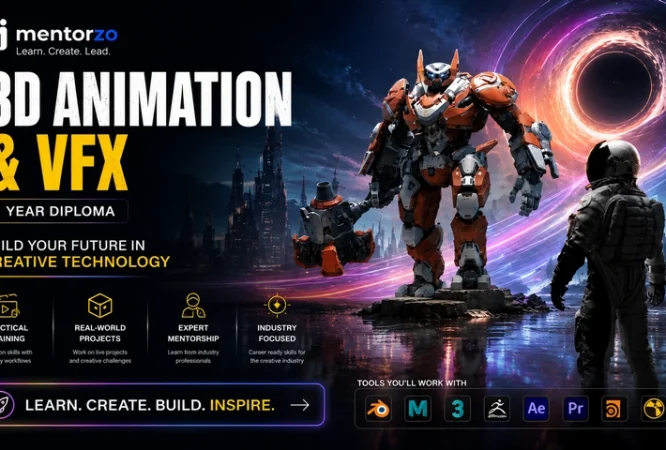
It is a 6-month professional creative design program covering graphic design, branding, video editing, motion graphics, VFX, AI design tools, content creation and freelancing.
No. The curriculum begins with fundamental design concepts and gradually progresses to advanced graphic design, video editing, animation and AI-assisted workflows.
The curriculum covers Photoshop, Illustrator, InDesign, Premiere Pro, After Effects, Audition, DaVinci Resolve, Figma and Canva Pro, along with multiple AI creative tools.
Yes. Students work on projects such as logo design, brand identity, packaging, social media campaigns, brochures, advertisements, video editing, motion graphics, reels and AI-generated advertisements.
Yes. The AI module covers tools including Adobe Firefly, Runway ML, Kling AI, Midjourney, Leonardo AI, ChatGPT, Canva AI and CapCut AI.
Yes. Portfolio development is a major part of the curriculum. Final deliverables include branding projects, packaging, social campaigns, promotional videos, motion graphics, AI campaigns, a Behance portfolio, personal portfolio website and an industry capstone.
Yes. Students are introduced to Fiverr, Upwork, Behance, pricing, client communication and freelance-ready portfolio development.
The program runs for 6 months (24 weeks) with classes 5 days per week.
Instructor

11 Students12 Courses
Reviews
Big Sale
Buy this course in package
You might be interested in