Curriculum
- 7 Sections
- 25 Lessons
- 52 Weeks
Expand all sectionsCollapse all sections
- Section 1 — CATIA & CAD Fundamentals2
- 1.1Module 1 — CATIA Fundamentals | Week 1 Learn CAD concepts, history and applications, CATIA interface, workbenches, menus, customization, navigation, file management, templates, import/export, product development cycle and PLM overview.
- 1.2Practical: CATIA Interface & Engineering Workflow Exercises
- Section 2 — Sketching & 3D Part Modeling6
- 2.1Module 2 — Sketcher | Week 2 Create engineering profiles using lines, circles, arcs and splines. Learn geometric and dimensional constraints, trim, extend, mirror, offset and patterns.
- 2.2Assignment: Mechanical Sketches
- 2.3Assignment: Parametric Shaft
- 2.4Module 4 — Advanced Part Design | Week 4 Explore parameters, formulas, design tables, Knowledgeware, relations, user features, multi-body modeling, Boolean operations and design-tree optimization.
- 2.5Assignments: Nut, Bolt & Gear
- 2.6Module 3 — Part Design | Week 3 Create 3D mechanical parts using Pad, Pocket, Shaft, Groove, Hole, Rib, Slot and Shell, along with fillets, chamfers, drafts and patterns.
- Section 3 — Surface & Assembly Design4
- 3.1Module 5 — Generative Shape Design | Week 5 Learn wireframe creation, points, planes, sweeps, lofts, fills, blends, trims, splits, joins, offsets and surface-quality analysis.
- 3.2Assignment: Bottle / Car Hood Surface
- 3.3Module 6 — Assembly Design | Week 6 Create product structures and mechanical assemblies using coincidence, contact and offset constraints. Learn clash detection, BOM creation and exploded views.
- 3.4Assignment: Gearbox Assembly
- Section 4 — Engineering Drafting & Manufacturing6
- 4.1Module 7 — Drafting & GD&T | Week 7 Create professional engineering drawings with views, sections, detail views, dimensions, GD&T, tolerances, surface-finish symbols, welding symbols, templates and standards.
- 4.2Assignment: Manufacturing Drawing
- 4.3Module 8 — Sheet Metal Design | Week 8 Learn walls, bends, flanges, corner reliefs, hems, flattening, flat patterns and Design for Manufacturing principles.
- 4.4Assignment: Electrical Enclosure
- 4.5Module 9 — Weld & Mold Design | Week 9 Understand weld features, mold fundamentals, injection molding, core and cavity creation, parting, draft analysis and manufacturing feasibility.
- 4.6Assignment: Plastic Mold
- Section 5 — Reverse Engineering & Advanced Surfaces2
- Section 6 — Analysis & Manufacturing2
- Section 7 — Industry Capstone3
- 7.1Module 12 — Capstone & Portfolio | Week 12 Apply your CATIA knowledge to an industry-oriented project in automotive, aerospace or product design. Students complete engineering drawings, project documentation, design reviews, presentations, final viva and project submission.
- 7.2Final Deliverable: Complete CATIA Engineering Project + Portfolio
- 7.3Industry Projects The curriculum includes or identifies projects such as: Gearbox • Robotic Arm • Alloy Wheel • Aircraft Wing • Drone Frame • Battery Housing • Injection Mold • Mechanical Vice • Hydraulic Pump • Industrial Conveyor These projects help students apply CATIA skills across mechanical, automotive, aerospace and product-design applications.
FAQs
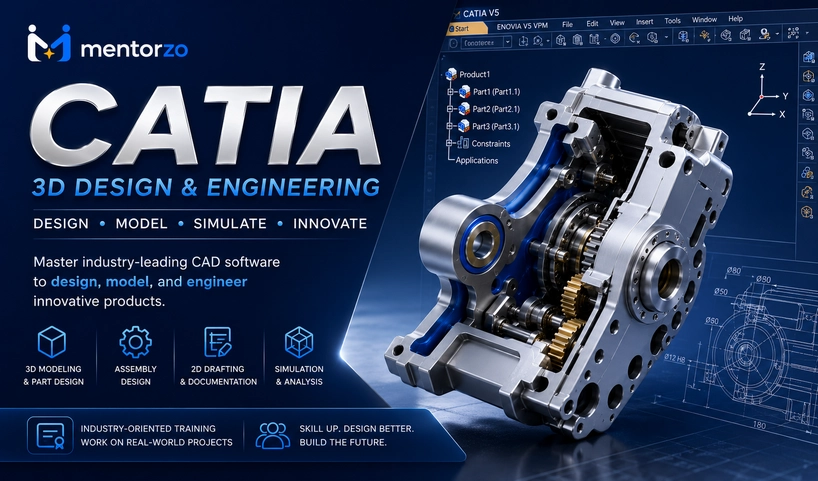
It is a 3-month professional CATIA training program covering CAD fundamentals, Sketcher, Part Design, surface modeling, assemblies, drafting, GD&T, sheet metal, mold design, reverse engineering, FEA basics and CAM workflows.
The course runs for 12 weeks (3 months) with training scheduled 5 days per week.
Yes. The curriculum starts with basic CAD concepts and the CATIA interface before progressing into advanced modeling, surface design, assemblies, manufacturing and analysis.
The curriculum uses Start, Sketcher, Part Design, GSD, Assembly, Drafting, Sheet Metal, Mold/Weld and Analysis/CAM work areas.
Yes. Students learn part modeling using tools such as Pad, Pocket, Shaft, Groove, Hole, Rib, Slot, Shell, Fillet, Chamfer, Draft and Patterns.
Yes. Generative Shape Design covers wireframes, points, planes, sweeps, lofts, fills, blends, trims, splits, joins, offsets and surface-quality analysis.
Yes. The drafting module includes GD&T, dimensions, tolerances, surface-finish symbols, welding symbols and manufacturing drawing standards.
Yes. Students learn product structures, assembly constraints, clash detection, BOMs and exploded views, with a gearbox assembly as the module assignment.
Yes. The curriculum introduces point clouds, STL data, freeform modeling, surface reconstruction and healing, including applications in automotive styling.
Yes. The course introduces FEA workflows, meshing, loads, static analysis and results interpretation, along with CAM, toolpaths and CNC concepts.
Yes. Week 12 is dedicated to a capstone project and portfolio, including engineering drawings, design review, presentation, viva and final project submission.
Instructor

11 Students12 Courses
Reviews
Big Sale
Buy this course in package


You might be interested in